

Chromium Bridge
@dashi96
About Chromium Bridge
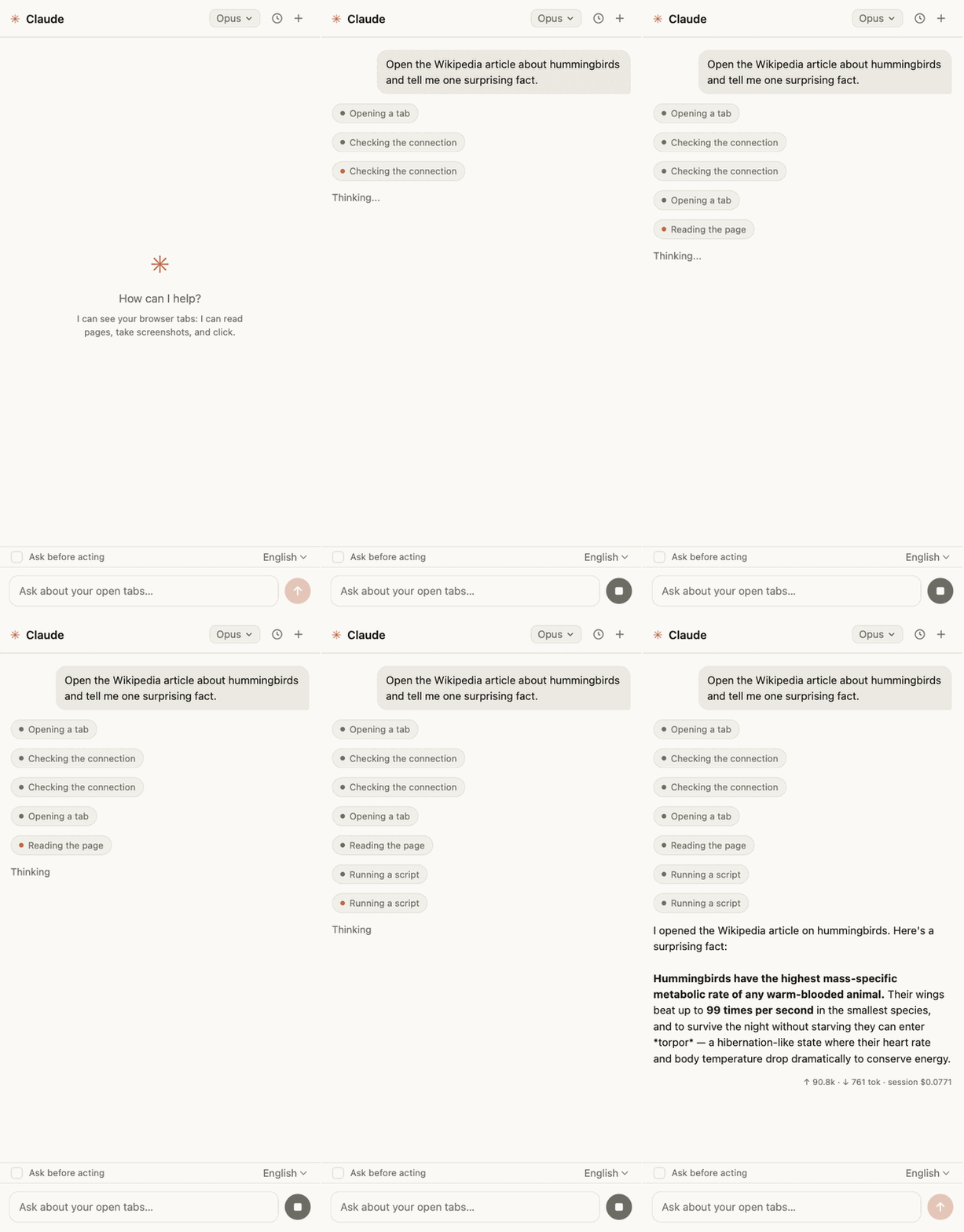
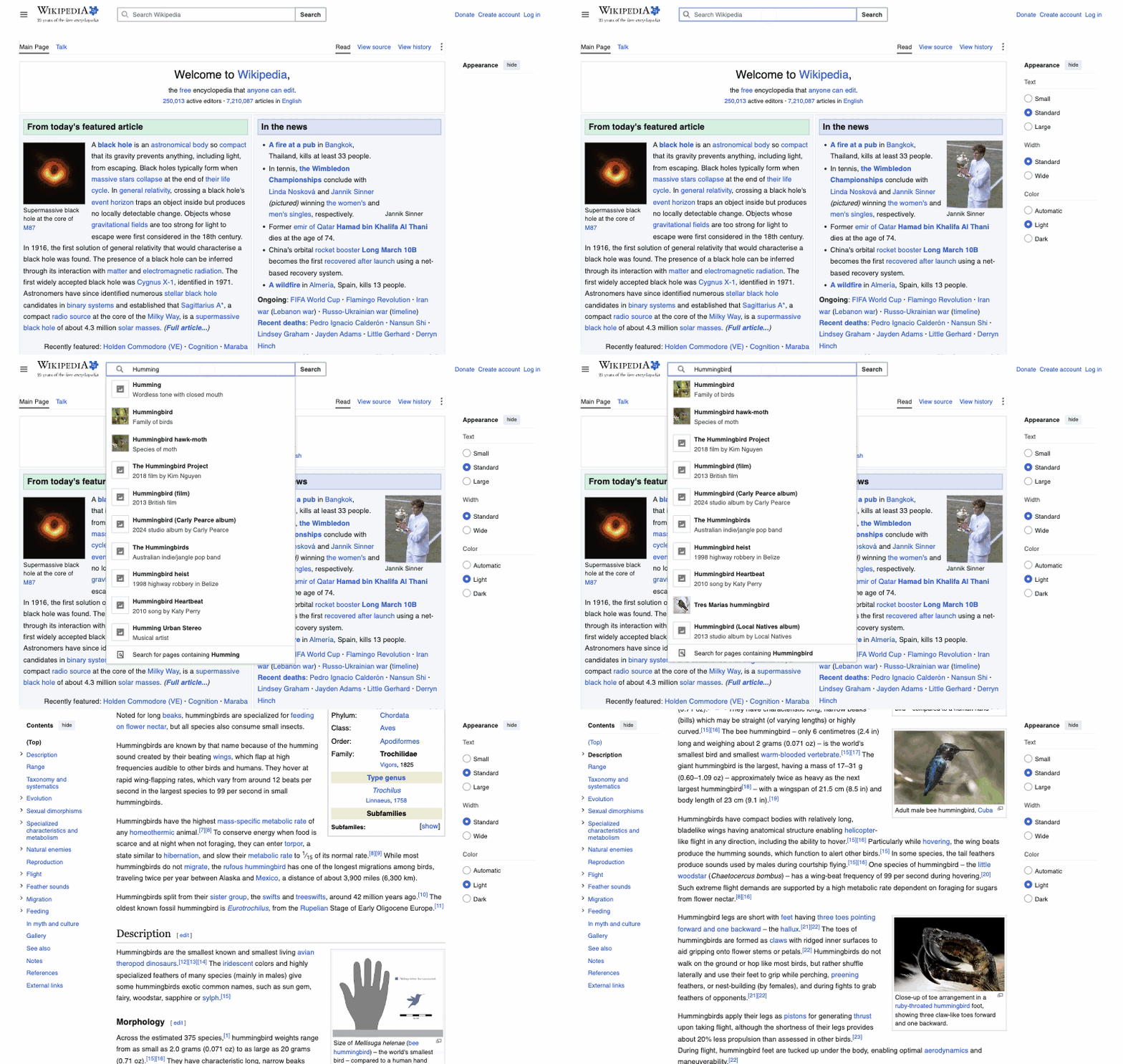
MCP bridge between Chromium browsers and Claude Code — browser automation tools + Claude chat panel for browsers where the official Claude in Chrome extension doesn't work (Arc, Vivaldi, …)
Config
Add this server to your MCP-compatible client using the configuration below.
{
  "mcpServers": {
    "chromium-bridge": {
      "command": "npx",
      "args": [
        "chromium-bridge"
      ]
    }
  }
}
Tools
No tools detected
We auto-extract tools from the README. The maintainer can list them under a ## Tools heading to populate this section.
Overview
What is Chromium Bridge?
An MCP bridge between Chromium browsers and Claude Code. It gives Claude Code a set of browser_* automation tools plus a Claude chat panel inside the browser — aimed at Chromium browsers where the official "Claude in Chrome" extension isn't available (Arc, Vivaldi, Brave, …).
Two parts:
- extension/ — an MV3 extension whose service worker keeps a WebSocket to the server and drives the tab through the Chrome DevTools Protocol (CDP).
- server/ — a stdio MCP server that exposes the
browser_*tools to Claude Code.
How to use Chromium Bridge?
Add it to your MCP client config:
{
  "mcpServers": {
    "chromium-bridge": {
      "command": "npx",
      "args": ["chromium-bridge"]
    }
  }
}
Then install the extension in the browser profile you want to automate. The tools only work while the server is running (typically an active Claude Code session).
Tools
| Tool | What it does |
|---|---|
browser_status | Check the connection to the extension |
browser_tabs_list | List tabs (id, title, URL) |
browser_tab_create / browser_tab_close | Open / close a tab |
browser_navigate | Navigate to a URL; back/forward for history |
browser_page_text | Page title, URL, and visible text |
browser_computer | Mouse/keyboard/screenshots via CDP: click, drag, hover, type, key combos, scroll, zoomed screenshots |
browser_read_page | Accessibility tree with ref ids (filter=interactive) |
browser_find | Find elements by text/role, returns refs |
browser_form_input | Set input/textarea/select/checkbox/contenteditable values |
browser_click | DOM click by CSS selector |
browser_upload_file | Put files into an <input type="file"> |
browser_javascript | Run JS on the page (await supported) |
browser_console_messages | Tab console (with a regex filter) |
browser_network_requests | Tab network requests (with a regex filter) |
browser_resize_window | Window size |
browser_gif_start / browser_gif_stop | Record a GIF of the tab to a file |
Everything except basic tab operations runs through chrome.debugger (CDP): screenshots don't require activating the tab, and clicks are real mouse events.
Limitations
- The extension lives in one browser profile — install it in the one you want to automate.
- It only works while the MCP server is running.
Where is the source code?
The source is on GitHub, linked from the repository URL on this page.
Basic information

More Browser Automation MCP servers

browser-use-mcp-server
co-browserBrowse the web, directly from Cursor etc.

Webpage Screenshot MCP Server
ananddtyagiAn MCP that gives your agent the ability to snap a screenshot of webpages. Useful when you want your agent to check its progress during development.

App Store Scraper MCP Server
appreply-coThis is an MCP server that provides tools to LLMs for searching and analyzing apps from both Google Play Store and Apple App Store – perfect for ASO.

MCP server w/ Browser Use
JovaniPinkFastAPI server implementing MCP protocol Browser automation via browser-use library.

Puppeteer MCP Server
merajmehrabiThis MCP server provides browser automation capabilities through Puppeteer, allowing interaction with both new browser instances and existing Chrome windows.
Comments