
What is a #cursor-ide MCP server?
An MCP server tagged #cursor-ide implements the Model Context Protocol so AI assistants like Claude, Cursor, and VS Code can access cursor-ide-related tools, data, or APIs.
Every MCP server and client below is tagged #cursor-ide — install one to give Claude, Cursor, VS Code, or any other MCP-compatible client access to cursor-ide tools.

martin-papy
Enterprise-ready vector database toolkit for building searchable knowledge bases from multiple data sources. Supports multi-project management, automatic ingestion from Confluence/JIRA/Git, intelligent file conversion (PDF/Office/images), and semantic search. Includes MCP server

griffithsbs
A lightweight way to use environment variables in your Cursor MCP server definitions.

psaboia
MCP Server example with TypeScript

dang-w
This repository contains example implementations of Model Context Protocol (MCP) servers that can be used with Cursor IDE to enhance AI capabilities with custom tools and data sources.

chrisboden
A template for building mcp servers in python

dchkang83
bivex
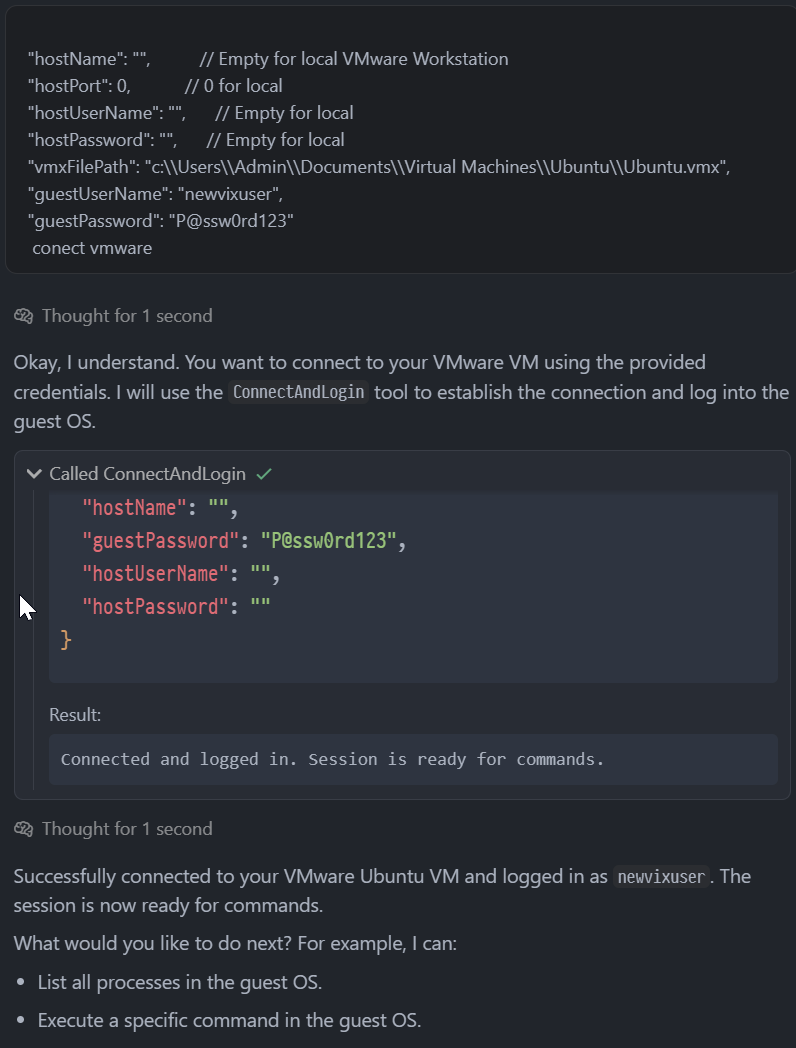
.NET bindings for VMware VIX API with Model Context Protocol server for AI-driven virtual machine automation. Enables natural language control of VMware VMs through AI assistants like Cursor IDE.

Dingzeefs
MCP server for Apple Notes integration with Cursor IDE

getreturn0
Debug your remote Node.js and Next.js applications directly from your AI IDE like Cursor.

dfhgnh43terg
A lightweight way to use environment variables in your Cursor MCP server definitions.
cactusaurelius
A Model Context Protocol (MCP) server for YouTube video transcripts and search.

MyBlockcities

alfie-tek
GitHub MCP server for Cursor IDE

netr

mayur29
Repository created using MCP GitHub server
Common questions about MCP servers and clients tagged #cursor-ide
An MCP server tagged #cursor-ide implements the Model Context Protocol so AI assistants like Claude, Cursor, and VS Code can access cursor-ide-related tools, data, or APIs.
mcp.so currently lists 15 MCP servers and clients tagged #cursor-ide.
Open any server below and copy its install snippet into Claude Desktop, Cursor, VS Code, or another MCP client's configuration — remote servers need no separate download.