
What is a #linux MCP server?
An MCP server tagged #linux implements the Model Context Protocol so AI assistants like Claude, Cursor, and VS Code can access linux-related tools, data, or APIs.
Every MCP server and client below is tagged #linux — install one to give Claude, Cursor, VS Code, or any other MCP-compatible client access to linux tools.

1Panel-dev
🔥 1Panel is a modern, open-source VPS control panel — and the only one with native AI agent support. Run Ollama models, deploy OpenClaw agents, and manage your entire server stack from one clean web interface.

0xJacky
Yet another WebUI for Nginx

AiondaDotCom
A Model Context Protocol (MCP) server for managing and controlling SSH connections.

alexandephilia
Electron-based desktop applications for various AI chat platforms.
alexandephilia
Electron-based desktop applications for various AI chat platforms.

ShadowCloneLabs
Glutamate is a powerful desktop platform that simplifies the deployment and management of Model Context Protocol servers. It provides a user-friendly interface and robust tools for server administration, making it easier than ever to run and customize your MCP servers.

gjenkins20
MCP server for managing Linux systems via Webmin's XML-RPC API
TiM00R
AI-Powered Remote Linux Server Management via MCP - Let Claude execute commands on your servers
AiondaDotCom
🚀 Complete MCP (Model Context Protocol) server for Salesforce integration with Claude Desktop. Provides seamless OAuth authentication, universal CRUD operations on any Salesforce object.
agenerationforwordz-tech
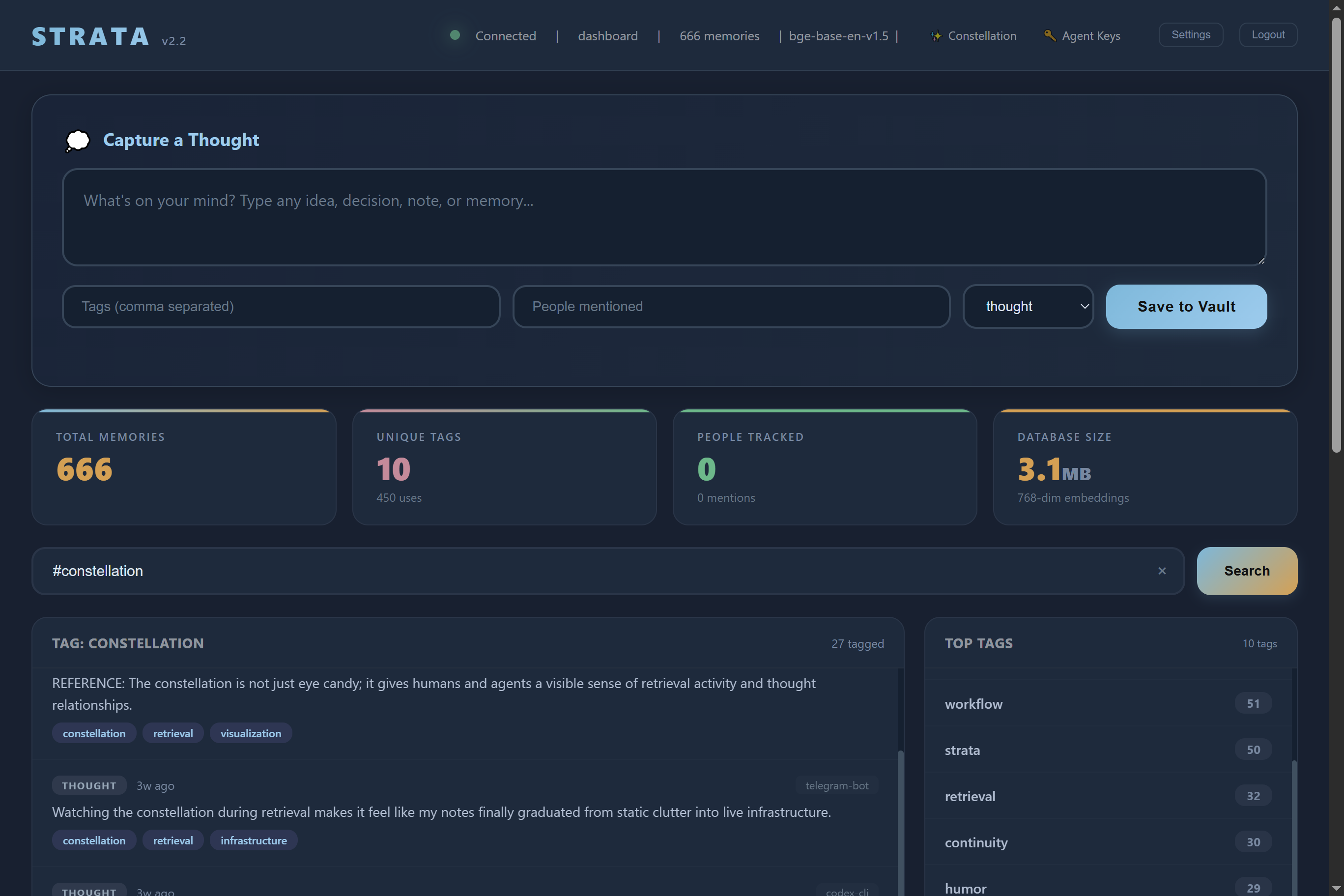
Strata is a self hosted AI memory server. Your AI remembers everything across every session, on your own hardware.

babelcloud
GBOX provides environments for AI Agents to operate computer and mobile devices.
nihalxkumar
Arch MCP provides three main capabilities:

aimiox
The aimiox Linux System MCP SSE Server is a lightweight agent for exposing system telemetry, logs, and network information via SSE. It's designed for Ubuntu 22.04+ and integrates seamlessly with the OpenAI Agents SDK or any compatible MCP client.

DragonsWho
A background server that logs your desktop activity, calculates your Actions Per Minute (APM), and provides a clean, anonymized timeline of your work on demand. It's designed to be a data source for personal analytics or AI assistants.
jonchun
ShellGuard is an MCP server that lets LLM agents securely SSH into remote Linux hosts with read-only shell access. Instead of copy-pasting terminal output, your AI can run safe diagnostics, inspect logs, query systems, and troubleshoot production, staging, or dev environments aut

atxtechbro
My personal dotfiles configuration

jacksenechal
scan-mcp offers a robust and minimal MCP server designed for efficient document scanning on Linux systems. It simplifies image capture from scanners, supporting advanced features like Automatic Document Feeder (ADF), duplex scanning, and specific page sizing. The tool intelligent
longdog
A lightweight Bash-based Model Context Protocol (MCP) server for sending desktop notifications via notify-send. This zero-dependency server enables AI assistants like Claude, Cursor, and VS Code to send system notifications directly to your Linux desktop.

scholarly360
MCP Server and client Implementation on Linux (Rather then using Claude Desktop)
esp4ce
Read-only MCP server for on-prem Linux VMs and PostgreSQL over SSH — service health, logs, DB state, and schema exploration without terminal access.
oaslananka
Production-grade MCP server that opens persistent SSH sessions and exposes safe, structured tools for command execution, file operations, transfers, tunnels, package and service management, metrics, resources, and guided prompts. Secure by default: strict host-key verification, r

arendtio
MCP server to write to the Wayland clipboard via wl-copy.
Common questions about MCP servers and clients tagged #linux
An MCP server tagged #linux implements the Model Context Protocol so AI assistants like Claude, Cursor, and VS Code can access linux-related tools, data, or APIs.
mcp.so currently lists 22 MCP servers and clients tagged #linux.
Open any server below and copy its install snippet into Claude Desktop, Cursor, VS Code, or another MCP client's configuration — remote servers need no separate download.